Prerequisite:
- The inverter is correctly installed, configured, and already in operation or ready for operation.
Should this condition not be met, you can find manufacturer-specific information here:
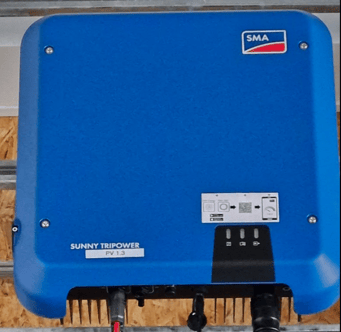
SMA Manuals - The access password for your SMA Sunny Tripower — or, if you don't know it, the SMA Sunny Tripower user manual, since the WPA2-PSK key you need to reset the password is noted there.
- A neoom Ai site has already been created for the customer, and the BEAAM is online.
Follow this link for a guide on how to create a CONNECT site and put the BEAAM energy manager into operation:
https://wissen.neoom.com/anlegen-eines-neuen-neoom-ai-standortes-
Step 1: Determine the IP address of the inverter
- Go to connect.neoom.com, log in with your credentials, and select the customer site from the site overview page.
- Select "Site configuration" and click "Network scan".
- After a few seconds, a tile should appear for every device found, including a tile for the SMA Sunny Tripower:
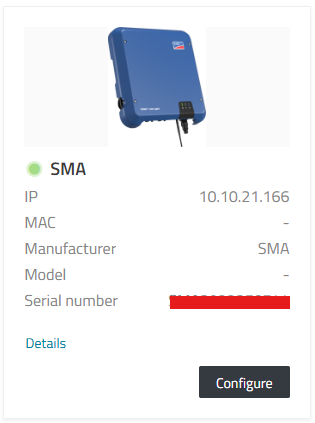
- This tile shows the IP address of the inverter.
- Important: Do not click "Configure" yet to integrate the inverter into neoom Ai. A configuration change first needs to be made on the inverter itself (Step 2). Leave this browser window open, though, as you'll still need it for Step 3.
Step 2: Connect to the inverter
- Open an internet browser and enter the inverter's IP address (determined in Step 1) into the address bar. The following login screen should appear:
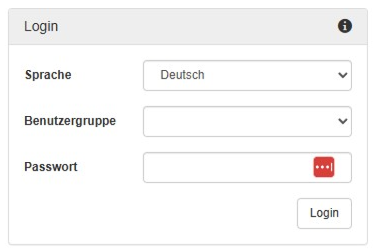
- If you don't know the inverter's password, use the "Forgot password" / "Reset password" function.
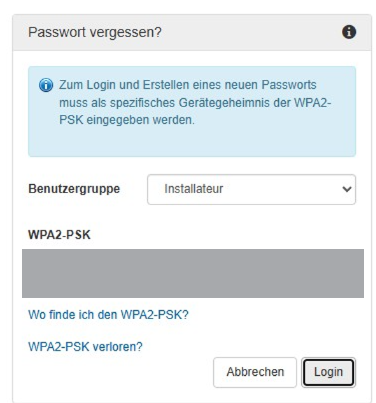
To set a new password, you need the so-called WPA2-PSK.
You'll find this on the back cover of your SMA Sunny Tripower user manual, which looks like this: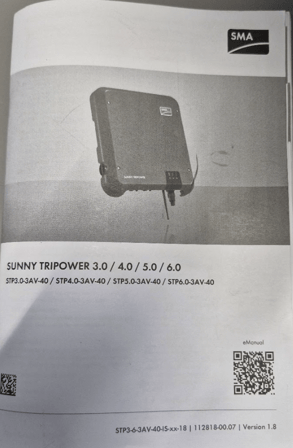
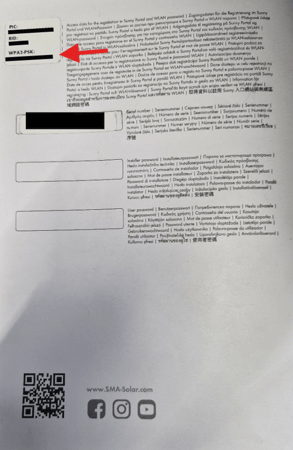
Follow the steps to set a new password. - After successfully logging in to the inverter, you should see the following page:
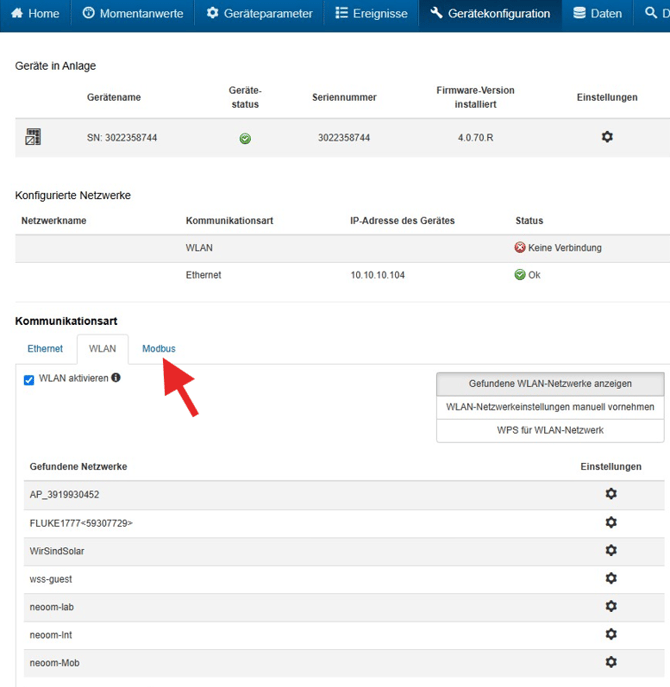
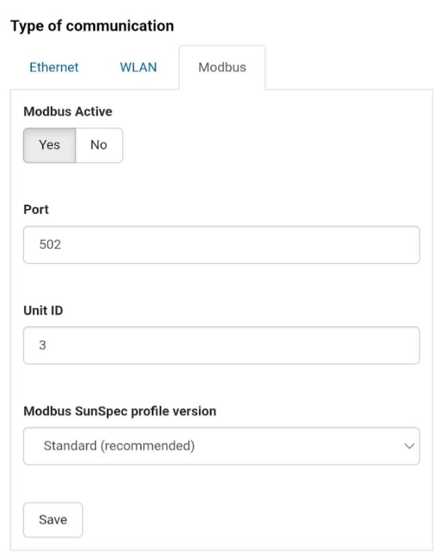
Click "Device configuration" in the navigation bar at the top, then click "Modbus" under "Type of communication". - Set the "Modbus Active" switch to "YES" and save the setting.
Step 3: Configure the inverter in neoom Ai
- Click "Configure" on the tile that appeared in Step 1
- Fill in the data as follows. (The IP address should be picked up automatically by the system.)
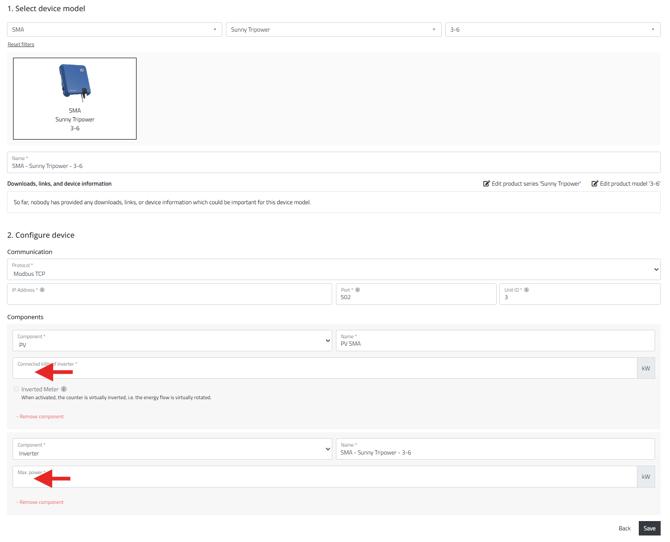
Enter the correct maximum power rating of the inverter as well as the kWp value of your PV system, and click "Save". - Important: On the following page, click "Apply configuration"

Step 4: Check whether the configuration was successful
Go to "Devices" in connect.neoom.com.
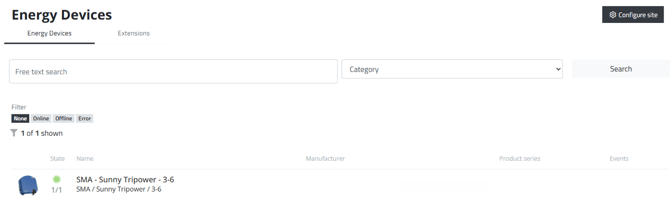
At the latest 2–3 minutes after clicking "Apply configuration" in Step 3, the inverter you just configured should be shown there as ONLINE (green dot).
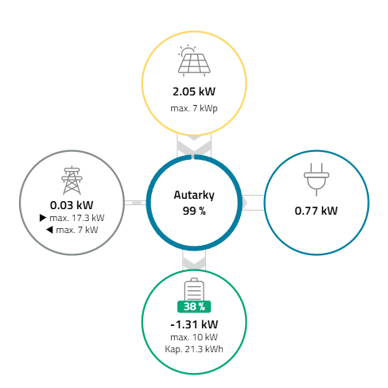
Also check that connect.neoom.com's "Dashboard" section correctly shows the energy flow to/from the PV system.